
This post is just a compilation of the links to other people’s articles and short descriptions about new SQL PLAN OPERATIONS and HINTS with a couple little additions from me.
Continue reading
Category Archives: oracle
RESULT_CACHE: run-time dependency tracking
As you know, since 11.2 “relies_on” clause was deprecated and oracle tracks dependencies at runtime now.
Test function and tables
[sourcecode language=”sql”]
create or replace function f_without_deps(p_tab varchar2) return varchar2
as
res varchar2(30);
begin
execute immediate ‘select ”’||p_tab||”’ from ‘||p_tab||’ where rownum=1′ into res;
return res;
end;
/
create table a as select ‘a’ a from dual;
create table b as select ‘b’ b from dual;
create view v_ab as select a,b from a,b;
[/sourcecode]
[collapse]
And it works fine with normal tables:
v_ab
[sourcecode language=”sql”]
SQL> exec :p_tab:=’v_ab’;
PL/SQL procedure successfully completed.
SQL> call DBMS_RESULT_CACHE.flush();
Call completed.
SQL> select/*+ result_cache */ f_without_deps(:p_tab) result from dual;
RESULT
———-
v_ab
1 row selected.
SQL> select name,bucket_no, id,type,status,pin_count,scan_count,invalidations from v$result_cache_objects o order by type,id;
NAME BUCKET_NO ID TYPE STATUS PIN_COUNT SCAN_COUNT INVALID
—————————————————————– ———- — ———- ——— ———- ———- ——-
XTENDER.F_WITHOUT_DEPS 1579 0 Dependency Published 0 0 0
XTENDER.V_AB 3127 2 Dependency Published 0 0 0
XTENDER.B 778 3 Dependency Published 0 0 0
XTENDER.A 464 4 Dependency Published 0 0 0
select/*+ result_cache */ f_without_deps(:p_tab) result from dual 1749 1 Result Published 0 0 0
[/sourcecode]
[collapse]
But don’t forget that the result_cache also caches such functions with the objects, that usually should not be cached, and such objects will not be listed in the result_cache dependencies list:
v$database
[sourcecode language=”sql”]
SQL> exec :p_tab:=’v$database’;
PL/SQL procedure successfully completed.
SQL> call DBMS_RESULT_CACHE.flush();
Call completed.
SQL> select/*+ result_cache */ f_without_deps(:p_tab) result from dual;
RESULT
———-
v$database
1 row selected.
SQL> select name,bucket_no, id,type,status,pin_count,scan_count,invalidations from v$result_cache_objects o order by type,id;
NAME BUCKET_NO ID TYPE STATUS PIN_COUNT SCAN_COUNT INVALID
—————————————————————– ———- — ———- ——— ———- ———- ——-
XTENDER.F_WITHOUT_DEPS 772 0 Dependency Published 0 0 0
PUBLIC.V$DATABASE 1363 2 Dependency Published 0 0 0
select/*+ result_cache */ f_without_deps(:p_tab) result from dual 2283 1 Result Published 0 0 0
3 rows selected.
[/sourcecode]
[collapse]
SYS.OBJ$
[sourcecode language=”sql”]
SQL> exec :p_tab:=’sys.obj$’;
PL/SQL procedure successfully completed.
SQL> call DBMS_RESULT_CACHE.flush();
Call completed.
SQL> select/*+ result_cache */ f_without_deps(:p_tab) result from dual;
RESULT
———-
sys.obj$
1 row selected.
SQL> select name,bucket_no, id,type,status,pin_count,scan_count,invalidations from v$result_cache_objects o order by type,id;
NAME BUCKET_NO ID TYPE STATUS PIN_COUNT SCAN_COUNT INVALID
—————————————————————– ———- — ———- ——— ———- ———- ——-
XTENDER.F_WITHOUT_DEPS 3922 0 Dependency Published 0 0 0
select/*+ result_cache */ f_without_deps(:p_tab) result from dual 3753 1 Result Published 0 0 0
2 rows selected.
[/sourcecode]
[collapse]
We easily check that the queries with any table in SYS schema or with sysdate,systimestamp,current_date,current_timestamp,dbms_random will not be cached:
SYS tables
[sourcecode language=”sql”]
SQL> select/*+ result_cache */ current_scn result from v$database;
RESULT
———-
##########
1 row selected.
SQL> select name,bucket_no, id,type,status,pin_count,scan_count,invalidations from v$result_cache_objects o order by type,id;
no rows selected
SQL> explain plan for select/*+ result_cache */ * from sys.obj$;
PLAN_TABLE_OUTPUT
————————————————————————–
Plan hash value: 2311451600
————————————————————————–
| Id | Operation | Name | Rows | Bytes | Cost (%CPU)| Time |
————————————————————————–
| 0 | SELECT STATEMENT | | 87256 | 7328K| 296 (1)| 00:00:04 |
| 1 | TABLE ACCESS FULL| OBJ$ | 87256 | 7328K| 296 (1)| 00:00:04 |
————————————————————————–
[/sourcecode]
[collapse]
And even if create own tables in SYS schema(don’t do it 🙂), they will not be cached :
SYS.V_AB
[sourcecode language=”sql”]
SYS> create table a as select ‘a’ a from dual;
SYS> create table b as select ‘b’ b from dual;
SYS> create view v_ab as select a,b from a,b;
SYS> grant select on v_ab to xtender;
XTENDER> explain plan for select/*+ result_cache */ * from sys.v_ab;
PLAN_TABLE_OUTPUT
—————————————————————————–
Plan hash value: 215283502
—————————————————————————–
| Id | Operation | Name | Rows | Bytes | Cost (%CPU)| Time |
—————————————————————————–
| 0 | SELECT STATEMENT | | 1 | 6 | 4 (0)| 00:00:01 |
| 1 | MERGE JOIN CARTESIAN| | 1 | 6 | 4 (0)| 00:00:01 |
| 2 | TABLE ACCESS FULL | A | 1 | 3 | 2 (0)| 00:00:01 |
| 3 | BUFFER SORT | | 1 | 3 | 2 (0)| 00:00:01 |
| 4 | TABLE ACCESS FULL | B | 1 | 3 | 2 (0)| 00:00:01 |
—————————————————————————–
Note
—–
– dynamic sampling used for this statement (level=2)
[/sourcecode]
[collapse]
But sys_context and userenv will be cached successbully:
sys_context
[sourcecode language=”sql”]
SQL> explain plan for select/*+ result_cache */ sys_context(‘userenv’,’os_user’) from dual;
PLAN_TABLE_OUTPUT
—————————————————————————————
Plan hash value: 1388734953
—————————————————————————————
| Id | Operation | Name | Rows | Cost (%CPU)| Time |
—————————————————————————————
| 0 | SELECT STATEMENT | | 1 | 2 (0)| 00:00:01 |
| 1 | RESULT CACHE | 267m2hcwj08nq5kwxcb0nb2ka8 | | | |
| 2 | FAST DUAL | | 1 | 2 (0)| 00:00:01 |
—————————————————————————————
Result Cache Information (identified by operation id):
——————————————————
1 – column-count=1; attributes=(single-row); parameters=(sys_context);
name="select/*+ result_cache */ sys_context(‘userenv’,’os_user’) from dual"
14 rows selected.
[/sourcecode]
[collapse]
userenv
[sourcecode language=”sql”]
SQL> explain plan for select/*+ result_cache */ userenv(‘instance’) from dual;
PLAN_TABLE_OUTPUT
—————————————————————————————
Plan hash value: 1388734953
—————————————————————————————
| Id | Operation | Name | Rows | Cost (%CPU)| Time |
—————————————————————————————
| 0 | SELECT STATEMENT | | 1 | 2 (0)| 00:00:01 |
| 1 | RESULT CACHE | dxzj3fks1sqfy35shbbst4332h | | | |
| 2 | FAST DUAL | | 1 | 2 (0)| 00:00:01 |
—————————————————————————————
Result Cache Information (identified by operation id):
——————————————————
1 – column-count=1; attributes=(single-row); parameters=(sys_context);
name="select/*+ result_cache */ userenv(‘instance’) from dual"
[/sourcecode]
[collapse]
A function gets called twice if the result_cache is used
Recently I showed simple example how result_cache works with non-deterministic functions and observed strange behaviour: a function gets fired once in the normal query, but twice with the result_cache hint.
Moreover, only third and subsequent query executions return same cached results as second query execution.
I didn’t want to investigate such behavior, just because 1) we should not cache the results of non-deterministic functions and 2) it doesn’t matter if we use deterministic functions.
But later I was asked to explain this, so this post is just a short description with test case.
Look at the simple function that just returns random values:
create or replace function f_nondeterministic(p int:=100) return int
as
  res number;
begin
   res:=round(dbms_random.value(0,p));
   return res;
end;
SQL> exec dbms_result_cache.flush;
PL/SQL procedure successfully completed.

SQL> select/*+ result_cache */ f_nondeterministic(1000) nondeter from dual;

  NONDETER
----------
       481

SQL> select/*+ result_cache */ f_nondeterministic(1000) nondeter from dual;

  NONDETER
----------
       689

SQL> select/*+ result_cache */ f_nondeterministic(1000) nondeter from dual;

  NONDETER
----------
       689
with result_cache_statistics
[sourcecode language=”sql”]
SQL> exec dbms_result_cache.flush;
PL/SQL procedure successfully completed.
SQL> select/*+ result_cache */ f_nondeterministic(1000) nondeter from dual;
NONDETER
———-
481
SQL> select name,value from v$result_cache_statistics where name in ( ‘Create Count Success’, ‘Find Count’);
NAME VALUE
————————————————– ———-
Create Count Success 1
Find Count 0
SQL> select/*+ result_cache */ f_nondeterministic(1000) nondeter from dual;
NONDETER
———-
689
SQL> select name,value from v$result_cache_statistics where name in ( ‘Create Count Success’, ‘Find Count’);
NAME VALUE
————————————————– ———-
Create Count Success 1
Find Count 1
SQL> select/*+ result_cache */ f_nondeterministic(1000) nondeter from dual;
NONDETER
———-
689
SQL> select name,value from v$result_cache_statistics where name in ( ‘Create Count Success’, ‘Find Count’);
NAME VALUE
————————————————– ———-
Create Count Success 1
Find Count 2
SQL> select name,bucket_no, id,type,status,pin_count,scan_count,invalidations from v$result_cache_objects o;
NAME BUCKET_NO ID TYPE STATUS PIN_COUNT SCAN_COUNT INVALIDATIONS
————————————————– ———- ———- ———- ——— ———- ———- ————-
XTENDER.F_NONDETERMINISTIC 552 0 Dependency Published 0 0 0
select/*+ result_cache */ f_nondeterministic(1000) 2102 1 Result Published 0 2 0
nondeter from dual
[/sourcecode]
[collapse]
As you can see, second execution returns different result than first one.
If we change this function:
create or replace function f_nondeterministic(p int:=100) return int
as
  res number;
begin
   res:=round(dbms_random.value(0,p));
   dbms_output.put_line('fired! ('||res||')');
   return res;
end;
and repeat this test-case:
SQL> select/*+ result_cache */ f_nondeterministic(1000) nondeter from dual;

  NONDETER
----------
       943    -- << (2)

1 row selected.

fired! (607)    -- << (1)
fired! (943)    -- << (2)
SQL> /

  NONDETER
----------
       607    -- << (1)

1 row selected.

SQL> /

  NONDETER
----------
       607    -- << (1)

1 row selected.

SQL> /

  NONDETER
----------
       607    -- << (1)

1 row selected.
we will see that there were 2 function executions: first result was cached, and the second was fetched!
SQL*Plus tips #7: How to find the current script directory
You know that if we want to execute another script from the current script directory, we can call it through @@, but sometimes we want to know the current path exactly, for example if we want to spool something into the file in the same directory.
Unfortunately we cannot use “spool @spoolfile”, but it is easy to find this path, because we know that SQL*Plus shows this path in the error when it can’t to find @@filename.
So we can simply get this path from the error text:
rem Simple example how to get path (@@) of the current script.
rem This script will set "cur_path" variable, so we can use &cur_path later.

set termout off
spool _cur_path.remove
@@notfound
spool off;

var cur_path varchar2(100);
declare
  v varchar2(100);
  m varchar2(100):='SP2-0310: unable to open file "';
begin v :=rtrim(ltrim(
                        q'[
                            @_cur_path.remove
                        ]',' '||chr(10)),' '||chr(10));
  v:=substr(v,instr(v,m)+length(m));
  v:=substr(v,1,instr(v,'notfound.')-1);
  :cur_path:=v;
end;
/
set scan off;
ho (rm _cur_path.remove 2>&1  | echo .)
ho (del _cur_path.remove 2>&1 | echo .)
col cur_path new_val cur_path noprint;
select :cur_path cur_path from dual;
set scan on;
set termout on;

prompt Current path: &cur_path
I used here the reading file content into variable, that I already showed in the “SQL*Plus tips. #1”.
UPDATE: I’ve replaced this script with a cross platform version.
Also I did it with SED and rtrim+ltrim, because 1) I have sed even on windows; and 2) I’m too lazy to write big PL/SQL script that will support 9i-12c, i.e. without regexp_substr/regexp_replace, etc.
But of course you can rewrite it without depending on sed, if you use windows without cygwin.
PS. Note that “host pwd” returns only directory where SQL*Plus was started, but not executed script directory.
Little quiz: Ordering/Grouping – Guess the output
How many times have you guessed the right answer? 🙂
1
[sourcecode language=”SQL”]
select * from dual order by -1;
select * from dual order by 0;
[/sourcecode]
[collapse]
2
[sourcecode language=”SQL”]
select * from dual order by -(0.1+0/1) desc;
select 1 n,0 n,2 n,0 n,1 n from dual group by grouping sets(1,2,3,2,1,0) order by -(0.1+0/1) desc;
[/sourcecode]
[collapse]
3
[sourcecode language=”SQL”]
select 1 n,0 n,2 n,0 n,1 n from dual group by grouping sets(1,2,3,2,1,0) order by 0;
select 1 n,0 n,2 n,0 n,1 n from dual group by grouping sets(1,2,3,2,1,0) order by 0+0;
select 1 n,0 n,2 n,0 n,1 n from dual group by grouping sets(1,2,3,2,1,0) order by 3+7 desc;
select 1 n,0 n,2 n,0 n,1 n from dual group by grouping sets(1,2,3,2,1,0) order by -(3.1+0f) desc;
[/sourcecode]
[collapse]
4
[sourcecode language=”SQL”]
select column_value x,10-column_value y from table(ku$_objnumset(5,4,3,1,2,3,4)) order by 1.9;
select column_value x,10-column_value y from table(ku$_objnumset(5,4,3,1,2,3,4)) order by 2.5;
select column_value x,10-column_value y from table(ku$_objnumset(5,4,3,1,2,3,4)) order by 2.7 desc;
select column_value x,10-column_value y from table(ku$_objnumset(5,4,3,1,2,3,4)) order by -2.7 desc;
[/sourcecode]
[collapse]
12c: Little test of “TABLE ACCESS INMEMORY FULL” with count stopkey
The table has 9M rows:
SQL> with function f return int is
  2       begin
  3          for r in (select value from v$mystat natural join v$statname where name like 'IM scan rows') loop
  4             dbms_output.put_line(r.value);
  5             return r.value;
  6          end loop;
  7       end;
  8  select f() from t_inmemory where rownum<=1
  9  ;
 10  /

       F()
----------
         0

1 row selected.

SQL> /

       F()
----------
    491436

1 row selected.

SQL> /

       F()
----------
    982872

1 row selected.
DDL and Plan
[sourcecode language=”sql”]
create table t_inmemory inmemory
as
with gen as (select 0 id from dual connect by level<=3e3)
select 0 n from gen,gen;
SQL_ID cpgrrfv9h6m52, child number 0
————————————-
with function f return int is begin for r in (select value
from v$mystat natural join v$statname where name like ‘IM scan rows’)
loop dbms_output.put_line(r.value); return
r.value; end loop; end; select f() from t_inmemory where
rownum<=1
Plan hash value: 3697881339
———————————————————————————-
| Id | Operation | Name | Rows | Cost (%CPU)| Time |
———————————————————————————-
| 0 | SELECT STATEMENT | | | 3 (100)| |
|* 1 | COUNT STOPKEY | | | | |
| 2 | TABLE ACCESS INMEMORY FULL| T_INMEMORY | 1 | 3 (0)| 00:00:01 |
———————————————————————————-
Predicate Information (identified by operation id):
—————————————————
1 – filter(ROWNUM<=1)
[/sourcecode]
[collapse]
Easy quiz: rownum < NaN
As you know, NaN is a “Not a Number”.
How do you think, what would be the result of the following query? (0f/0 == NaN)
select count(*) cnt from dual where rownum < 0f/0;
select * from table where rownum=1
I never thought I would have to optimize so simple query as
select col1, col2, col4, col7 from table where rownum=1
(even though I read recently “SELECT * FROM TABLE” Runs Out Of TEMP Space)
But a few days ago frequent executions of this query caused big problems on the one of our databases(11.2.0.3) because of adaptive serial direct path reads.
I don’t know why, but I felt intuitively that full table scan with “First K rows” optimization (“_optimizer_rownum_pred_based_fkr“=true) should turn off adaptive serial direct path reads. It seems quite logical to me.
PS. Unfortunately I had a little time, so I didn’t investigate what process and why it was doing that, I just created profile with “index full scan” access, and it completely solved the problem.
INDEX FULL SCAN (MIN/MAX) with two identical MIN()
I’ve just noticed an interesting thing:
Assume, that we have a simple query with “MIN(ID)” that works through “Index full scan(MIN/MAX)”:
SQL> explain plan for
  2  select
  3     min(ID)      as x
  4  from tab1
  5  where ID is not null;

Explained.

SQL> select * from table(dbms_xplan.display);

PLAN_TABLE_OUTPUT
---------------------------------------------------------------------------------------
Plan hash value: 4170136576

---------------------------------------------------------------------------------------
| Id  | Operation                   | Name    | Rows  | Bytes | Cost (%CPU)| Time     |
---------------------------------------------------------------------------------------
|   0 | SELECT STATEMENT            |         |     1 |     4 |     3   (0)| 00:00:01 |
|   1 |  SORT AGGREGATE             |         |     1 |     4 |            |          |
|   2 |   FIRST ROW                 |         |     1 |     4 |     3   (0)| 00:00:01 |
|*  3 |    INDEX FULL SCAN (MIN/MAX)| IX_TAB1 |     1 |     4 |     3   (0)| 00:00:01 |
---------------------------------------------------------------------------------------

Predicate Information (identified by operation id):
---------------------------------------------------

   3 - filter("ID" IS NOT NULL)
Test tables
[sourcecode language=”sql”]
create table tab1(id, x, padding)
as
with gen as (select level n from dual connect by level<=1000)
select g1.n, g2.n, rpad(rownum,10,’x’)
from gen g1,gen g2;
create index ix_tab1 on tab1(id, x);
exec dbms_stats.gather_table_stats(”,’TAB1′);
[/sourcecode]
[collapse]
But look what will happen if we add one more “MIN(ID)”:
SQL> explain plan for
  2  select
  3     min(ID)      as x
  4   , min(ID)+1000 as x1000
  5  from tab1
  6  where ID is not null;

Explained.

SQL> select * from table(dbms_xplan.display);

PLAN_TABLE_OUTPUT
---------------------------------------------------------------------------------
Plan hash value: 3397888171

---------------------------------------------------------------------------------
| Id  | Operation             | Name    | Rows  | Bytes | Cost (%CPU)| Time     |
---------------------------------------------------------------------------------
|   0 | SELECT STATEMENT      |         |     1 |     4 |  3075  (17)| 00:00:02 |
|   1 |  SORT AGGREGATE       |         |     1 |     4 |            |          |
|*  2 |   INDEX FAST FULL SCAN| IX_TAB1 |   999K|  3906K|  3075  (17)| 00:00:02 |
---------------------------------------------------------------------------------

Predicate Information (identified by operation id):
---------------------------------------------------

   2 - filter("ID" IS NOT NULL)
Simple Android Oracle client
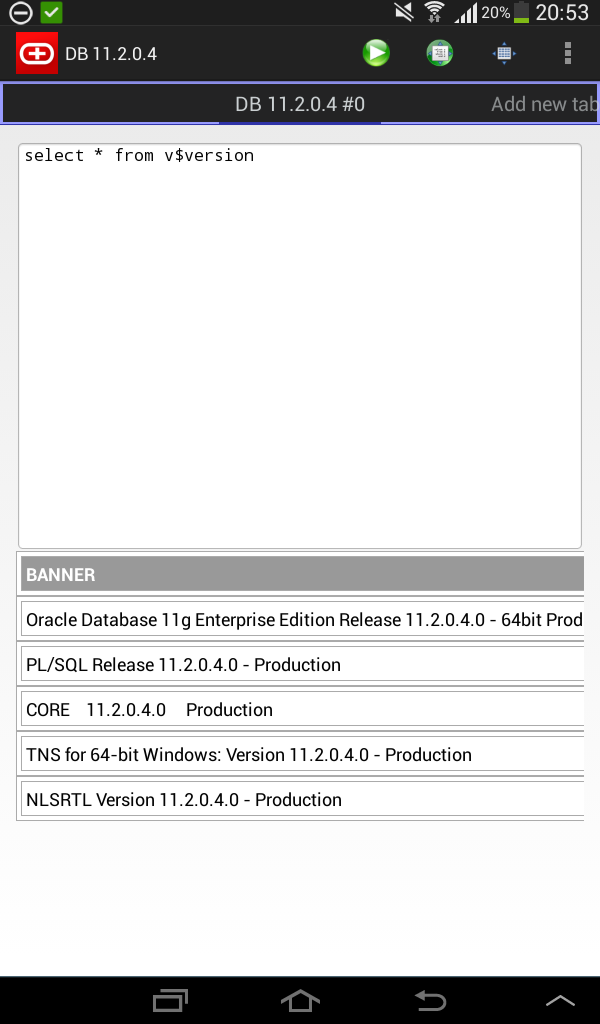
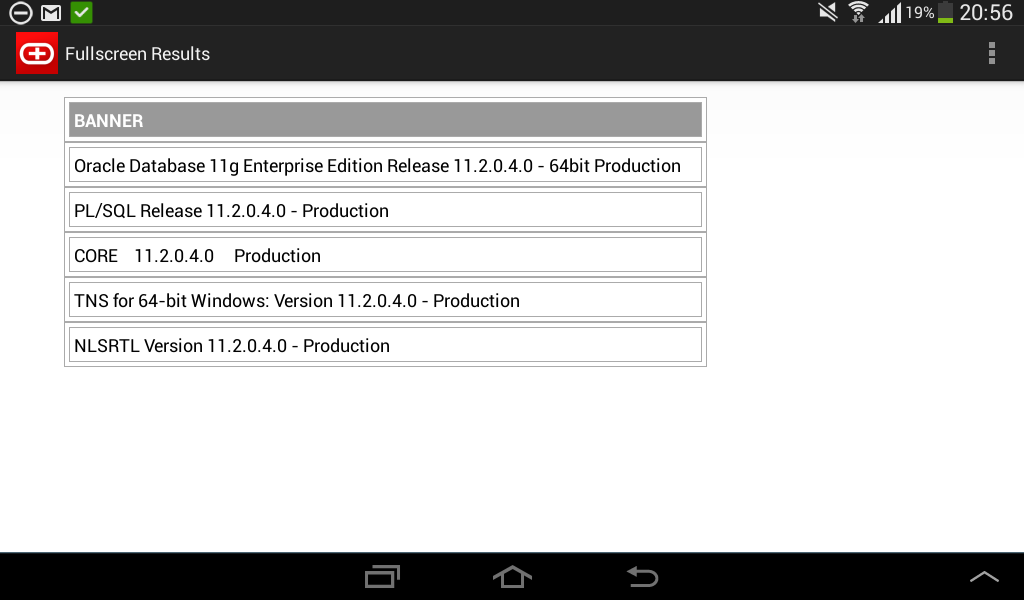
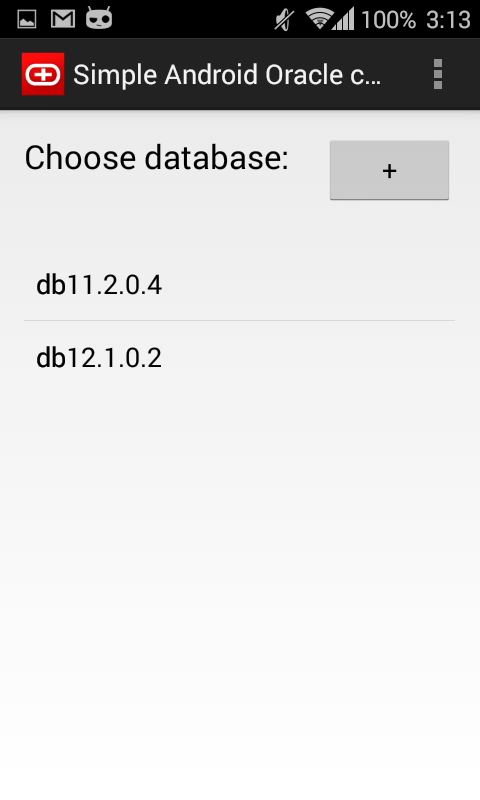
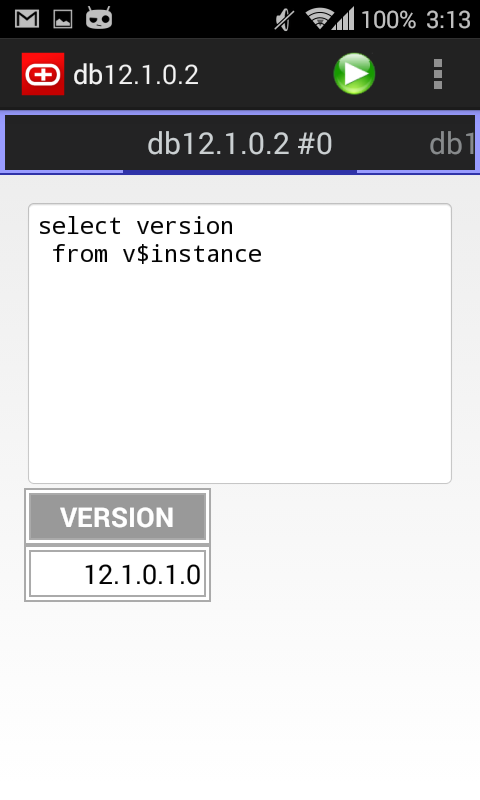
I am happy to announce, that I’ve just published my first android app –  Simple oracle client for android!
Since this is only the first version, I’m sure that it contains various UI bugs, so I’ll wait for reviews and bug reports!
Several screenshots:
 |
 |
 |
 |
